
Up to this point I have been projecting textures onto a single piece of geometry and wanted to take the opportunity to apply the projection workflow onto more than one piece of geometry in the same scene.
For this is used a simple sphere and card node.
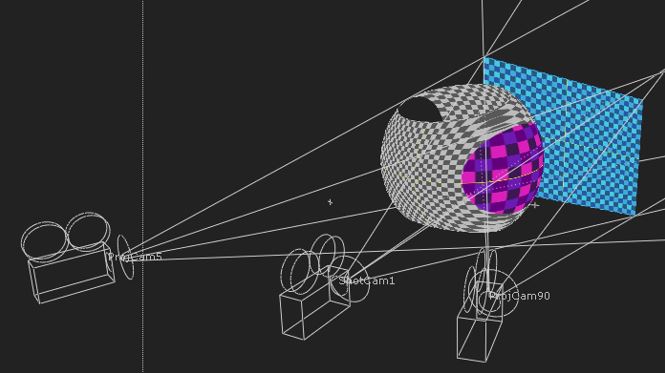
The shot camera has a diagonal translation and slight rotation so as to reveal more of the card from behind the sphere. The grey checkerboard is projected from the starting position of the shot camera
The image (below) shows the texture smearing on the side of the sphere as the projection camera reaches its coverage threshold.

A second (blue) checkerboard was added and projected from a frame towards the end of the shot camera’s motion path.
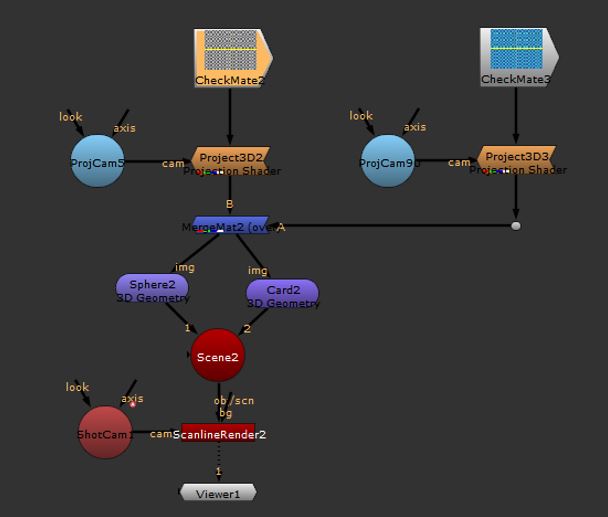
The image (below) shows that the projecting is affecting both geometric surfaces, which was the objective. Moreover the second checkerboard has patched the smearing, which suggests that this method has some production value.
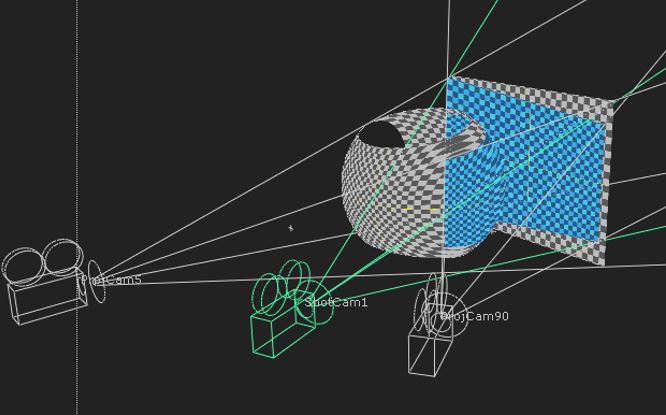
The drawback is that both textures are doubling onto areas of both pieces of geometry.
To offer a scenario, if the sphere was one building in a scene and the card was another, the second building would be being projected on the first building and the first building would be being projected on to the second building. This would be an undesirable outcome.
The image (below) shows how this can easily be overcome, simply by unmerging the textures and assigning one texture to building one and another to building two.
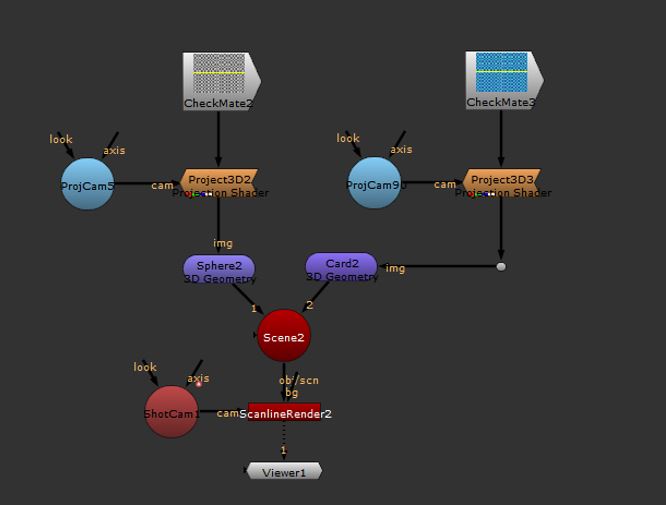
The doubling is prevented, although at the expense of the original smearing on the sphere.
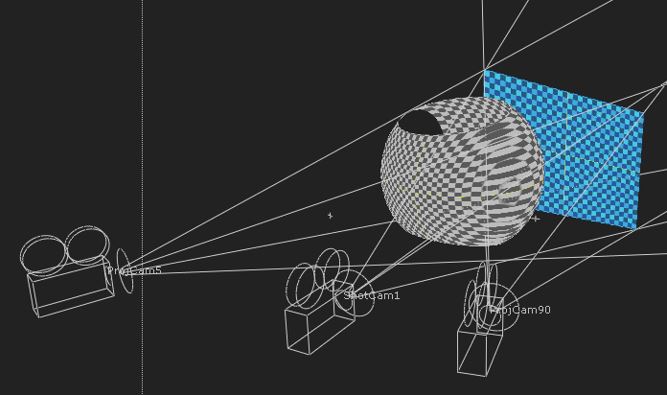
This in itself suggests that there may be scenarios where it is actually better to have one projection and project on to multiple pieces of geometry and then, if there is any doubling or smearing as a consequence, then this can be taken care of with an additional projection camera.
This in itself does not preclude breaking up the image on a ‘per geometry’ basis, as we could use the same ‘patching’ technique to fix the problem to texture doubling onto the wrong 3D surfaces.
I have recorded a short video which demonstrates how this technique is applied using Nuke
I concluded this exploration with a recognition that I need to undertake much more research and testing in this area. I think that, whether to project a single image onto multiple surfaces, or indeed break the image into multiple parts and project them individually, is a decision to be taken on a shot-by-shot basis and determined, to a large extent, by how the camera moves in the scene and how this frames the geometry on which we will project.
I have also found it difficult to visualise the impact of the projection artefacts, especially the doubling effect, using checkerboards.
In future testing, I will look to project real imagery (photographic or even actual matte paintings) onto geometry that I have modelled to align to the image being projected.
 Peter Holmes PhD Journal